


Bad Posture From Remote Work? Practical Help for Your Home Setup

Your home office doesn’t need to be perfect to feel more comfortable. For bad posture from remote work help, start with a simple truth: stiffness can build when you stay in one position for a long time, especially while looking at a screen. A few practical changes can make your setup easier to work in without turning your home into an office showroom.
A makeshift desk, a low laptop screen, or long stretches without moving can leave your neck, shoulders, or back feeling tight. You don’t need to hold one “perfect” posture all day. Instead, adjust what you can and give your body chances to move.
This guide explains how screen work can leave you stiff, which workspace changes to try first, and how to build movement into your day. You’ll also learn when ongoing discomfort may call for individualized attention. At Enrich Chiropractic in Kennesaw, Dr. Rich provides one-on-one care and gentle adjustments for neck, back, and mobility concerns.
Table of Contents
Bad posture from remote work: what may be causing the discomfort?
A kitchen table, dining chair, or laptop balanced on your lap can make a comfortable workday harder. If stiffness builds during screen time, it doesn’t automatically mean your posture is “bad” or that you’ve injured yourself. Discomfort can be a response to spending time in sustained positions. It describes an experience, not a diagnosis or proof of one specific cause. For a broad overview of understanding human posture, remember that posture changes with the task and the person.
Neck, shoulder, upper-back, wrist, and lower-back stiffness are common complaints during desk work. They can be useful signals to notice, but they don’t identify the reason for your discomfort. Getting bad posture from remote work help starts with looking at how your setup and daily habits feel, rather than blaming yourself for sitting incorrectly.
How remote work can change everyday posture
A laptop’s screen and keyboard are attached. If the screen sits low, you may lean forward or look down to see it clearly. Reaching for a keyboard or mouse placed too far away can also make your arms and shoulders work harder to stay in position. These habits may add strain for some people, but they aren’t guaranteed to cause pain.
Unsupported seating can make it harder to settle into a comfortable position. A chair that’s too high, too low, or lacking a place to rest your back may leave you shifting or bracing. Even a suitable setup can feel tiring if you stay still through long, uninterrupted work periods. Meetings, focused tasks, and deadlines can also leave fewer natural chances to stand, stretch, or change position.
No single posture needs to be held all day; comfort comes from finding workable positions and changing them as needed.
Common signs your work setup may need attention
Pay attention to patterns, not just one moment of discomfort. You might notice a tight neck after reading from a low screen, shoulder fatigue after reaching for a mouse, or wrist stiffness after a long typing session. Your lower or upper back may feel tired by the end of a work block. These observations can help you decide what to adjust, but they can’t diagnose the cause.
Discomfort can vary with the task, workspace, and individual. The same chair may feel fine during a short call and uncomfortable during hours of focused work. Note when symptoms show up and whether a small change, such as moving the keyboard closer, affects how you feel. Make one adjustment at a time so you can tell what seems helpful.
Notice where stiffness or fatigue builds and what you were doing at the time.
Check whether your screen, seat, or work tools encourage reaching or leaning.
Stop any adjustment or movement that increases pain. Don’t force a position or stretch through discomfort.
Use these signs as practical prompts, not a reason to chase perfect alignment. If discomfort persists or worsens, individualized guidance may help you consider what to do next.
Why prolonged screen work can leave your neck and back feeling stiff
Your setup is only part of the picture. The length of time you stay in one position, repeated small movements, and limited chances to shift can all matter alongside how you sit. A laptop screen may encourage you to look down; a distant mouse can keep your arm reaching. Neither detail proves what’s causing discomfort, but combined with a long stretch of focused work, they can make it harder to feel relaxed.
Look for the most changeable factor first. Notice when stiffness appears and what you’ve been doing. If it follows a long video call, try changing position or taking a brief movement break. If it builds while reading, check whether you’re repeatedly dipping your head toward the screen. Then consider whether your keyboard and mouse are within easy reach and your seat feels supportive. This helps you observe patterns without assuming one adjustment will solve everything.
The role of screens, seating, and work habits
A low screen can lead to repeated downward head movement as you read or watch a call. A keyboard or mouse placed far away may invite a forward lean or an outstretched arm. Unsupported seating can make it harder to find a settled position. These are possible contributors, not certain causes. Start by noticing which part of your workday seems to bring on the strain.
Stillness can slip by unnoticed. During a video call, you may remain in the same position to stay on camera. While concentrating on a document, you might keep your eyes and hands fixed on the task. The amount of time, repetition, and lack of position changes deserve attention, not just the shape of your back.
Why there is no single perfect posture
A comfortable, supported position can look different from one person to another. It may also change with the task: reading, typing, and speaking on a call don’t ask you to hold your body in exactly the same way. Think of posture as something that shifts throughout the day, not a fixed pose you must maintain.
Posture habits describe how you tend to position yourself; they aren’t a clinical diagnosis. Discomfort doesn’t prove permanent damage or a specific spinal problem. Nor can one brief adjustment prevent every ache. Instead, use changes as small experiments: notice how they feel, keep what’s comfortable, and stop anything that increases pain.
For bad posture from remote work help, focus on patterns you can observe: when symptoms appear, what task you’re doing, and whether a change in position affects how you feel. If neck or back discomfort continues despite practical adjustments, one-on-one attention can offer an individual perspective. At Enrich Chiropractic in Kennesaw, Dr. Rich provides one-on-one chiropractic care for neck, back, and mobility concerns.
Remote-work posture fixes compared: what to adjust first
Start with the change that fits your setup and feels easiest to test. You don’t need to buy new furniture to make a workspace more workable. A stable household item, a closer mouse, or a different sitting position may be enough to try first. Equipment can add adjustability, but it’s optional. Ergonomic changes aim to support comfort, not guarantee that symptoms will go away.
Low-cost home-office changes to try
If you work on a laptop, a stable stack of books can raise the screen, as long as the setup won’t wobble or block ventilation. Raising the screen may make the built-in keyboard less comfortable to use, so pair it with a separate keyboard and mouse if you have them. In a small or shared workspace, moveable items can be easier to put away than dedicated equipment.
Keep the keyboard and mouse close enough that your elbows can stay near your sides instead of reaching forward. If your feet don’t rest comfortably, a firm foot support may help you settle. A small cushion or folded towel behind your back may offer support, provided it feels comfortable and doesn’t force you into a rigid position. Adjust one thing at a time and notice how it feels.
Sitting, standing, and changing position
Sitting and standing are options to alternate, not competing ideals. A standing desk isn’t required for better comfort. If you have a suitable surface, try standing for part of a task; otherwise, change position while seated or step away briefly when practical. Make changes gradually and use comfort as your guide. Stop anything that increases pain.
For bad posture from remote work help, prioritize the adjustment that addresses your actual setup: raise a low screen, bring a distant mouse closer, or add support where you need it. If discomfort continues despite practical changes, one-on-one chiropractic care with Dr. Rich at Enrich Chiropractic in Kennesaw can address work-related neck, back, or mobility concerns.
A simple daily routine to improve your remote-work setup
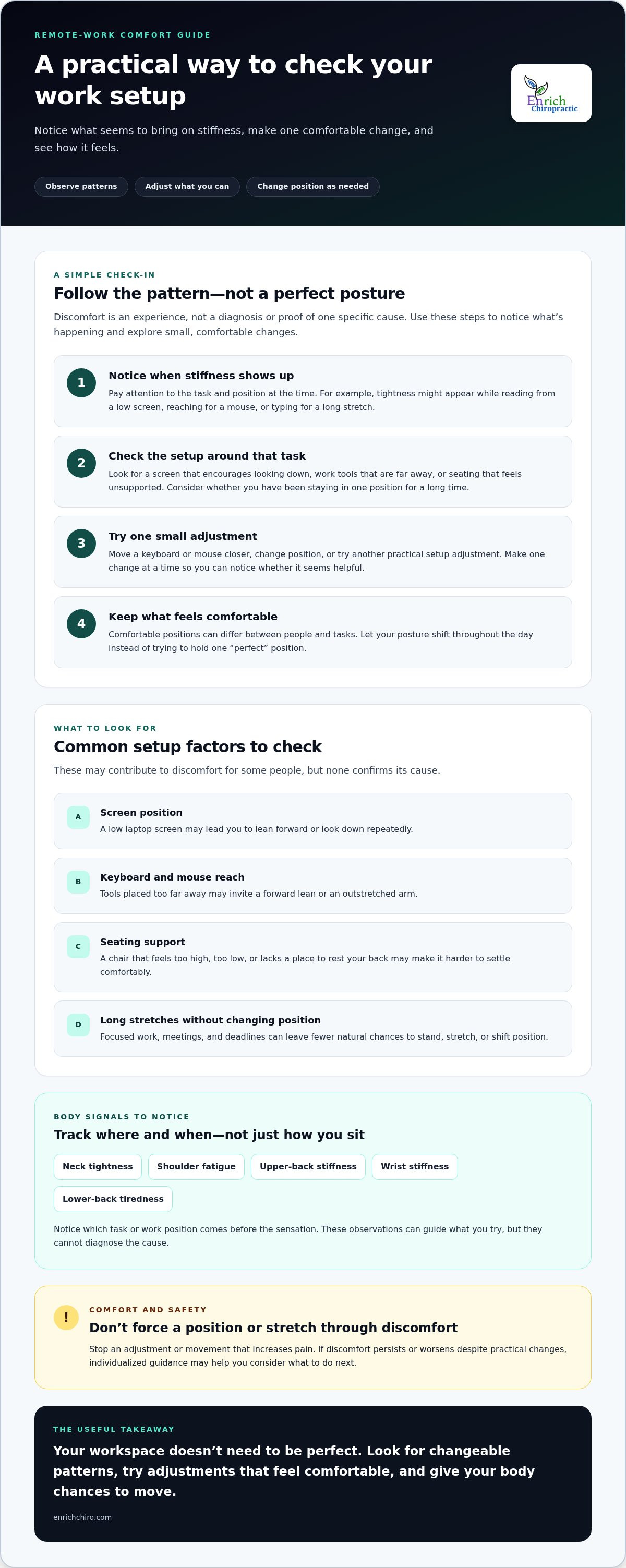
A quick reset can make your workspace feel more manageable without turning setup into another chore. Use this four-step check when you start work, return from a break, or notice yourself leaning or reaching. Treat it as a flexible prompt, not a strict posture rule. Keep changes comfortable, and stop any movement that increases pain.
Check your screen. Place it where you can read without repeatedly leaning forward or tipping your head down. For a laptop, a stable stack of books can raise the screen. If that makes the keyboard awkward to use, keep the laptop lower and adjust how you sit instead.
Settle your support. Sit in a position that feels steady. Let your back rest against the chair if that’s comfortable, and use a firm household item as foot support if your feet don’t reach the floor easily. You don’t need special furniture.
Relax your reach. Bring the keyboard and mouse closer so your shoulders can stay relaxed and your elbows remain near your sides. In a small or shared space, move items into place for work, then put them away when you’re done.
Change position. Shift your sitting position, stand briefly, walk, or switch tasks when there’s a natural pause. Choose an option that suits your body and workday.
Set up your workstation in a few minutes
Think of the routine as a quick check, not a search for a perfect arrangement. First, notice whether you’re moving your head toward the screen to see it. Then check if your hands are reaching for the keyboard or mouse. Finally, see whether your chair and foot support feel stable. Adjust one thing at a time so you can tell what feels more comfortable.
If you work at a kitchen table or share a desk, keep the solution simple and easy to clear away. A stable riser, a cushion for back support, or a box under your feet may be practical options, as long as they feel secure. You can make useful changes with what you already have.
Build movement into a busy workday
There’s no need to follow a rigid break schedule. Use everyday transitions as reminders: stand after a call, walk briefly after finishing a task, or change position before starting the next one. Even shifting your weight or moving your arms gently can interrupt a long stretch of stillness. Let comfort guide the pace. Don’t force a stretch or continue an exercise that hurts.
For bad posture from remote work help, pair a workable setup with regular chances to move. The routine doesn’t promise symptom relief, but it gives you a straightforward way to notice what feels comfortable and make small adjustments. If neck stiffness continues, book a one-on-one visit with Dr. Rich at Enrich Chiropractic for individualized attention.
When remote-work posture discomfort may need one-on-one support
Workspace changes and movement habits are reasonable first steps, but they aren’t a reason to push through ongoing discomfort. If neck, shoulder, or back symptoms persist, worsen, or start interfering with work, sleep, or everyday activities, consider getting individualized guidance. Trying harder to force your body into a “correct” position may not address what’s going on.
When to seek guidance instead of pushing through
Pay attention to changes over time. If discomfort keeps returning despite adjustments, limits your usual activities, or is getting worse, a qualified health professional can help assess your situation and discuss appropriate next steps. An article can offer general information, but it can’t examine you or diagnose the cause of your symptoms.
Sudden, severe symptoms or new concerns such as weakness, numbness, or changes in coordination call for prompt medical evaluation. Don’t try to manage alarming or rapidly changing symptoms by changing your desk setup or doing stretches. If you’re unsure how urgent a new symptom may be, seek medical advice.
Keep a brief note of what you’re experiencing, when it tends to show up, and what affects it. For example, record whether discomfort builds during a particular task or continues away from your desk. This information can make a conversation about your concerns more specific. Stop any self-directed adjustment or movement that increases pain.
Personalized chiropractic care in Kennesaw
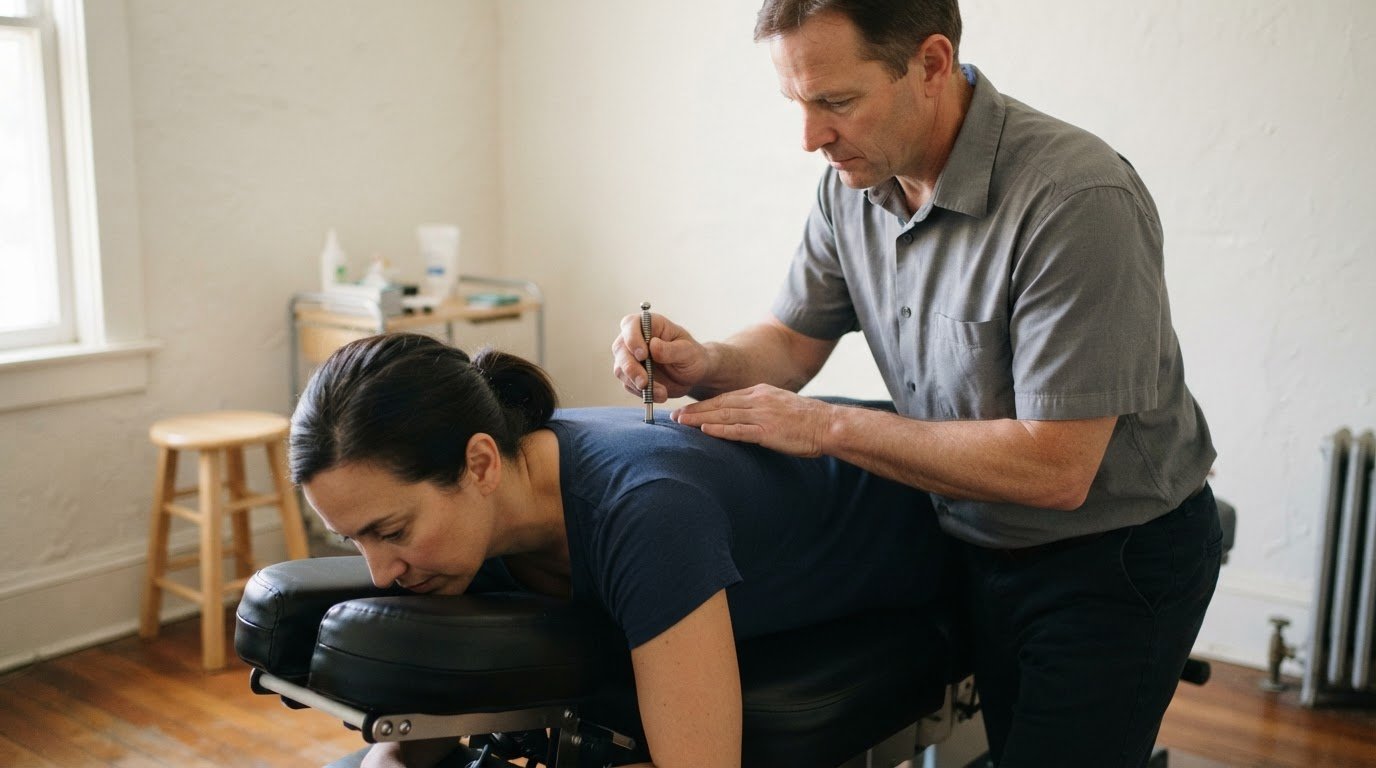
For persistent neck, back, or mobility concerns, Enrich Chiropractic offers one-on-one care with Dr. Rich in Kennesaw. A visit gives you an opportunity to discuss what you’re noticing and receive individualized attention. Gentle chiropractic adjustments may be part of care, but no particular result, such as posture correction or pain relief, can be guaranteed. The focus is straightforward, personal care that takes your concerns into account.
People in Kennesaw, Marietta, Acworth, and Woodstock can choose walk-ins or same-day appointments, including Sundays. If work-related stiffness hasn’t settled despite practical changes, an individual visit may be a useful next step. You don’t need to keep trying more forceful stretches or hold yourself rigidly upright while you wait for the problem to disappear.
Seeking help doesn’t mean you’ve failed to fix your setup. It means the discomfort deserves a closer, personal look. For bad posture from remote work help, pair sensible workspace habits with attention to how your symptoms change. If you’re in the Kennesaw area and persistent stiffness is affecting your day, consider visiting Enrich Chiropractic to talk with Dr. Rich about your neck, back, or mobility concerns.
Make your next step a comfortable one
You don’t have to solve everything at once. Choose one change that feels manageable, notice how your body responds, and adjust your approach as needed. The most useful bad posture from remote work help is practical and flexible, not a demand to sit perfectly or overhaul your home. If discomfort keeps interrupting your day, an individual perspective can help you decide what to try next.
Enrich Chiropractic offers care without long-term treatment plans. A first visit consultation and adjustment is $60, and each subsequent adjustment is $35. Walk-ins and same-day appointments are available, including Sundays. Visit Enrich Chiropractic in Kennesaw to discuss your neck, back, or mobility concerns with Dr. Rich.
Small adjustments to your workday can be a reasonable place to begin, and reaching out for support is another option if you need it. Take the next step at your own pace.
Frequently Asked Questions
Can bad posture from remote work cause headaches?
Prolonged screen work and neck or shoulder tension may contribute to headaches for some people, but headaches have many possible causes. Notice when they start, what you were doing, and whether they happen away from your screen. These details can help you explain the pattern without self-diagnosing. Seek appropriate medical advice for a headache that is severe, new, persistent, or otherwise concerning.
Is standing all day better than sitting while working remotely?
No. Standing continuously isn’t automatically better than sitting. Both positions can become uncomfortable if you stay in them too long, and the most comfortable option depends on your body and workspace. Try changing positions gradually and make sure your work area feels supportive. A standing desk isn’t required, and it can’t guarantee pain prevention. Stop or adjust any position that increases discomfort.
Can a laptop stand help with remote-work posture?
It can help by raising the screen so you may not need to look down as often. If lifting the laptop makes its keyboard hard to reach, a separate keyboard and mouse can let you keep your hands in a more comfortable position. A stand is optional. Choose a stable setup that suits your available space, and remember that equipment alone can’t guarantee symptom relief.
What happens if remote-work posture discomfort does not improve?
Review your work habits without blaming yourself, then seek individualized guidance if discomfort persists, worsens, or affects daily activities. Symptoms can have different causes, so another desk adjustment may not be the right next step for everyone. An article can’t determine what’s behind your symptoms. Get prompt medical care for sudden, severe symptoms or new neurological concerns, such as weakness or loss of coordination.
Can remote work cause tingling in the hands or arms?
Tingling can have several possible causes, so don’t assume it comes from your posture or work setup. Arrange medical evaluation if it’s new, persistent, worsening, or keeps returning. Sudden weakness or other severe symptoms need urgent medical care. A desk adjustment may be comfortable to try, but it can’t identify the cause of tingling or replace an assessment by a medical professional.
How can I work comfortably from home without a dedicated office?
You can make a temporary setup more workable without buying a full office arrangement. Choose a stable surface, support your feet if needed, and keep frequently used items close enough to avoid reaching. Change position when practical. A kitchen table or shared space may involve compromises, so make one manageable adjustment at a time. For bad posture from remote work help, focus on what fits your space and feels comfortable.


Comments